MFX
Modular multi-FX router
Patch four cells in series, parallel or feedback, all from one insert. Set the level of each connection directly on its cable.
Try MFX in Your Browser
Choose a factory preset and command the full MFX in your browser: check out preset variations, dive into cell view or randomize different groups of parameters.
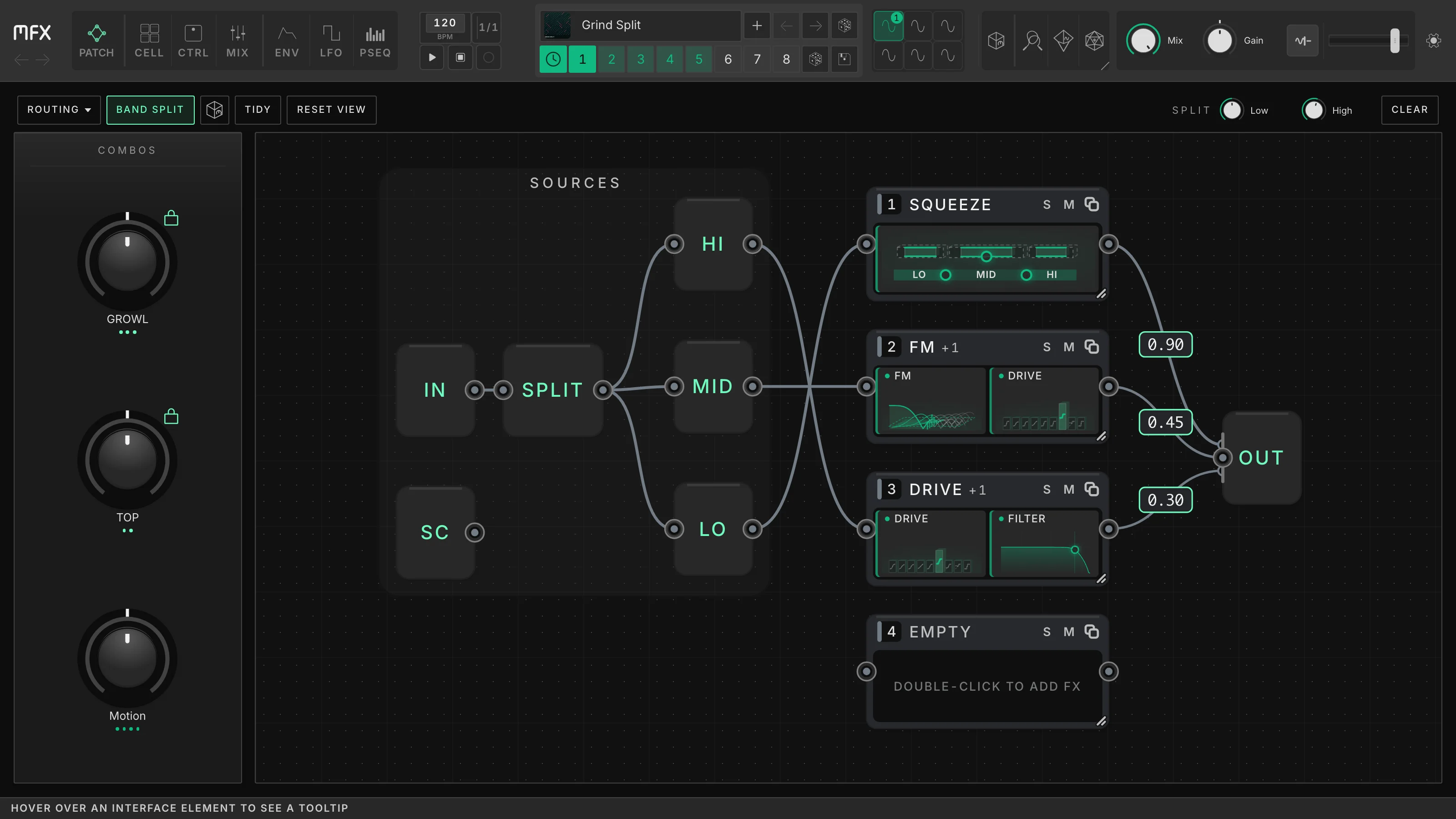
The SPLIT node cuts the loop at 120 Hz and 2.5 kHz: a squeezed sub held steady, a middle band that grows an FM growl and fuzz the harder each hit lands, and a hard-clipped top under a lowpass. Combo 1 deepens the growl.
Why we made MFX
MFX is a spinout of PAM, an instrument we have been carefully developing for over three years. PAM’s effects system became very powerful, and we couldn’t find anything like it in the effects world. We also wanted to bring parts of PAM’s engine, such as the modulation matrix, to people who aren’t focused on making electronic beats. MFX is our attempt to contribute something we felt was missing.
How we do and do not use AIWatch MFX
Watch sound designers build patches with MFX in their own sessions.

Creator video
MAP Audio MFX - My New Favourite Multi-FX Plugin?
Dash Glitch
Creator videos
34 effects in every cell
Each cell contains all 34 built-in effects, shared with PAM. Build a different chain in each one, or run one effect at four settings. Choose an effect below to open its controls and hear it by itself.
Crusher
Reduces bit depth and sample rate. Lower the rate for aliasing, lower the bits for grit.
The mid band is decimated on a step lane while the band above it keeps its transients intact.
5 controls · 5 modulation targets
Patch a feedback loop
Draw a cable from a cell back to itself or to an earlier cell. Set the return level on the cable. The cable adds a fixed 64-sample delay even when the DAW buffer changes; effects in the loop can add more. Depending on the patch and return level, the loop can fade, sustain or self-oscillate.
Modulate across the patch
Map one modulation source to controls in several cells.
Six global LFOs
Run them freely or sync them to the host. Choose a factory shape or draw your own.
Followers and ParamSeq
Every cell has a follower for its own audio or another cell. Route the stereo sidechain into a cell to follow that instead. ParamSeq moves mapped controls one step at a time.
Combo knobs and automation
Map controls from different cells to any of three Combo knobs. Turning one knob moves all the controls mapped to it. The host can automate the Combo knobs, effect controls and global mix.
Trade presets
Browse presets that other MFX users have shared, download one and drop it on the plugin. Share your own from the same page. Neither needs an account.
Open the preset libraryWork with samples in PAM
PAM builds patterns from samples and drum synths.
PAM has eight sampler and drum-synth cells, each with sequencing, effects, modulation, and pitch and stretch engines. The looper records another eight tracks.
Explore PAM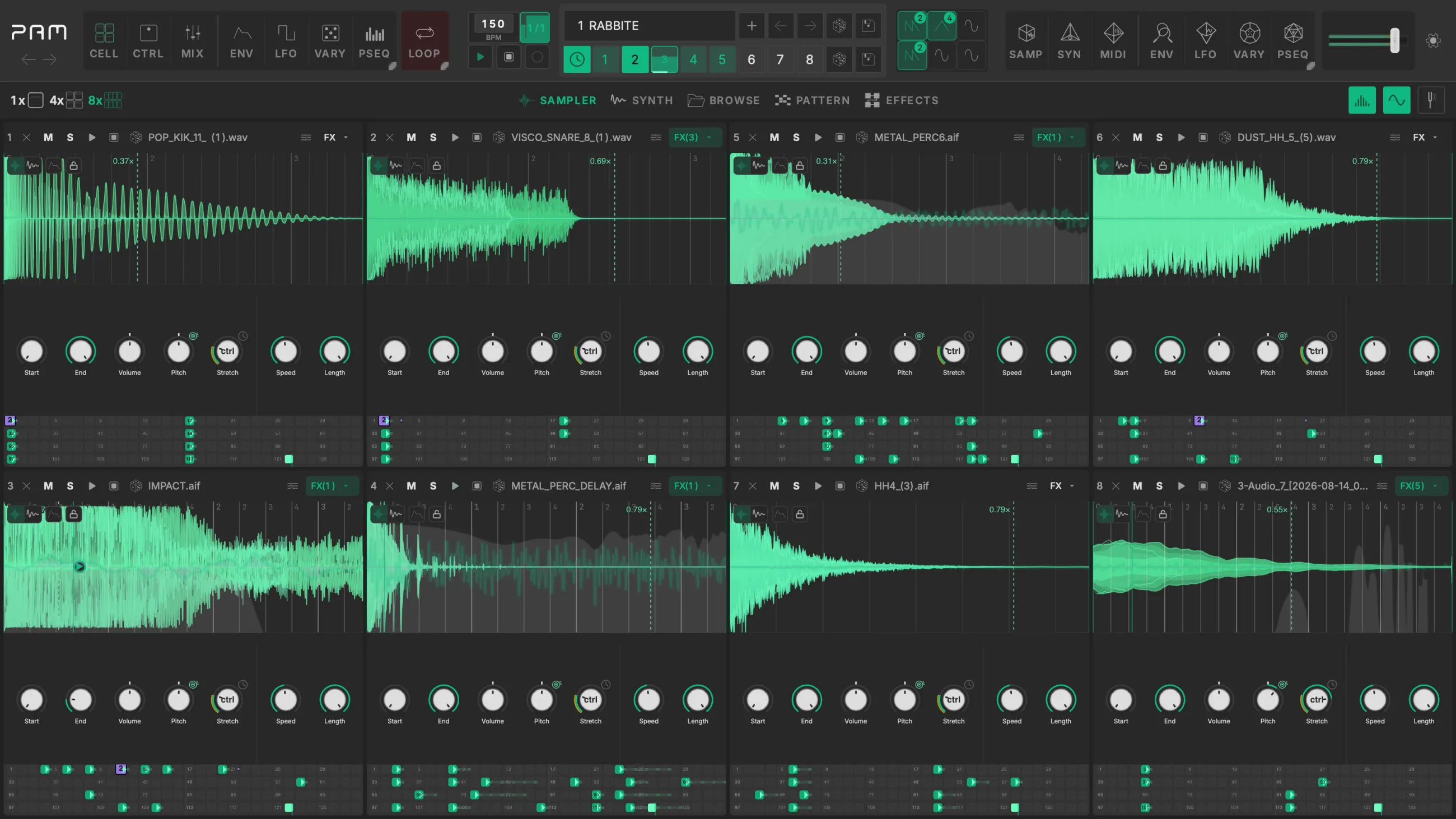
Formats and license
Formats and systems
- VST3, AU (macOS), CLAP & Standalone
- AAX for Pro Tools (macOS)
- Linux (x86_64): VST3, CLAP & Standalone
- Stereo in + stereo sidechain in, stereo out
- MIDI in for the vocoder carrier and MIDI learn
License
- One payment for a perpetual license
- Three machines per license
- Updates included
- Limited browser demo on this page
Get MFX
One payment for a perpetual license on up to three machines. Updates are included.